

How to Connect to Network Outlets
Welcome! This guide will help you connect to the internet in your CSB apartment. Each building has a slightly different setup, so find your address below and follow the step-by-step instructions.
Need Help?
If you have any questions or are experiencing problems, don't hesitate to contact us.
We speak Swedish and English, so feel free to write in whichever language you prefer.
🏢 Find Your Building
If your building isn't listed, then there probably is just a single outlet and no media-cabinet.
General Instructions
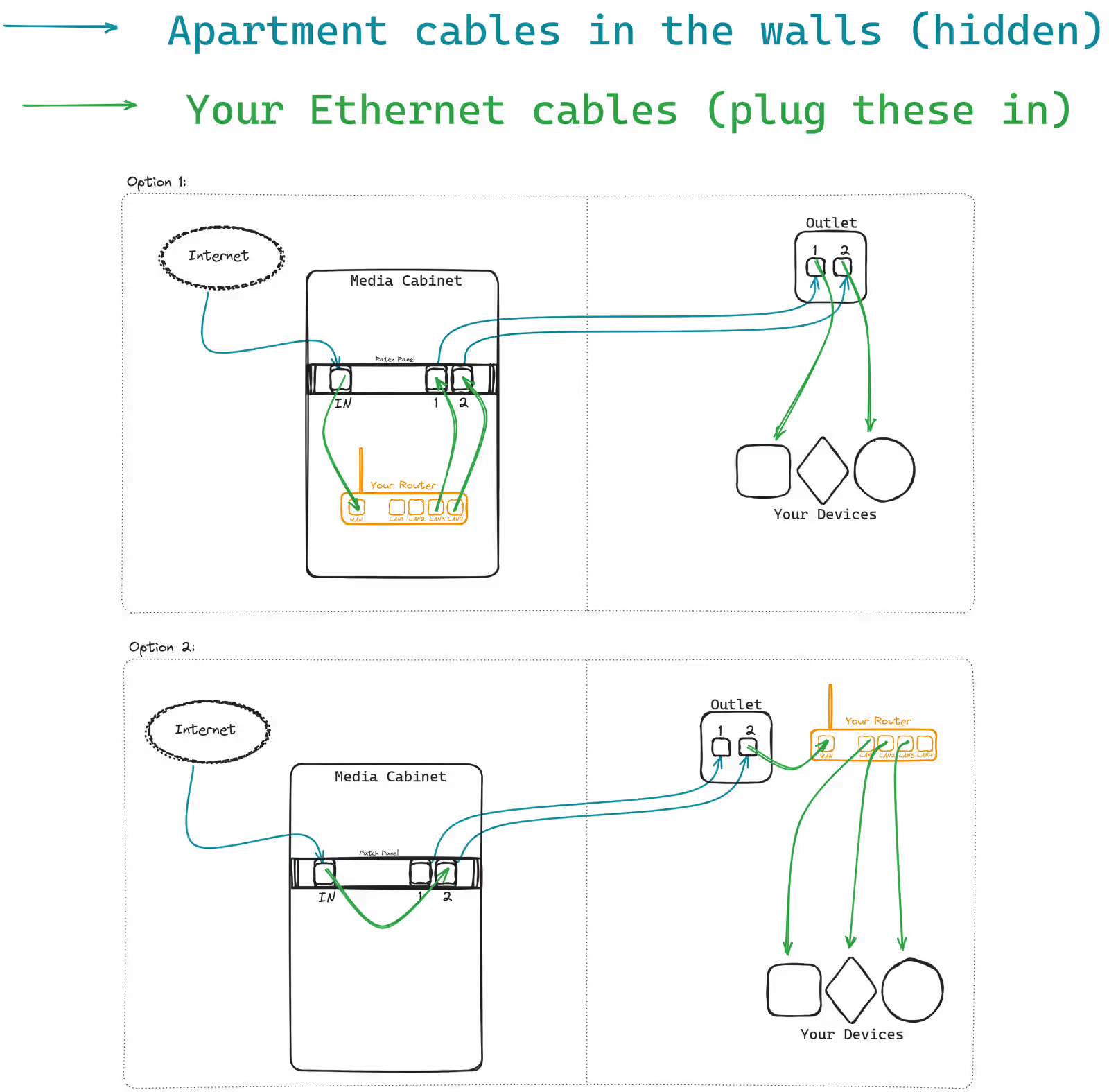
If your apartment has multiple outlets, you may need to hook them up to the internet connection from you incoming internet port, which is usually located in your media cabinet. The other outlets in your apartment act as an extension cord that runs inside the walls.
Based on your preference, you can either keep your router in the media cabinet or in the room where the outlet is located.
Note: If you keep your router in the media cabinet, your wifi experience may be negatively impacted.
Gibraltarkroken 4
- Open your electrical cabinet
- Locate the patch panel inside
- Find the port labeled "IN" - this is your incoming network connection
- Choose which outlet in your apartment you want to activate by checking the numbered labels in the electrical cabinet
- Connect a network cable from the "IN" port to the numbered port corresponding to your desired outlet
- The outlets in your apartment have matching numbers - use the one you just connected
When you connect ONE port of an outlet, only that specific port will work. The other port on the same outlet will NOT be connected.
Need multiple connections? Simply plug in a switch or router to the activated outlet.
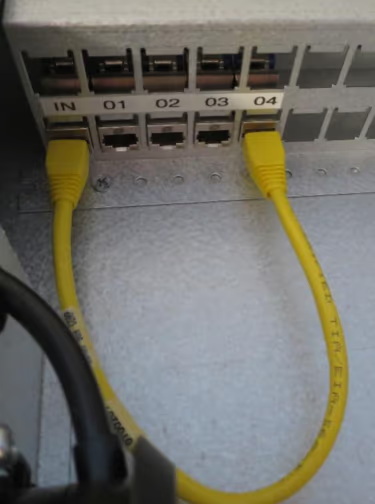
Step 1-3: Patch panel with "IN" port
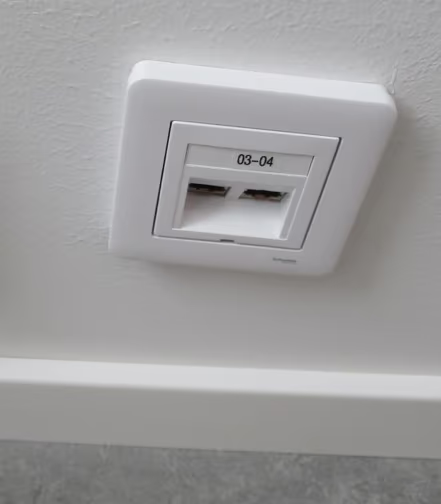
Step 4-6: Numbered wall outlets
Doktor Forselius Backe 6
- Open your electrical cabinet
- Locate the patch panel - this has your incoming internet connection
- Use the bottom outlet of that panel as your source
- Choose which outlet in your apartment you want to activate by checking the numbered labels in the electrical cabinet
- Connect a network cable from the top outlet of the lower panel to the numbered port of your choice
- The outlets in your apartment have matching numbers - use the one you just connected
When you connect ONE port of an outlet, only that specific port will work. The other port on the same outlet will NOT be connected.
Need multiple connections? Simply plug in a switch or router to the activated outlet.
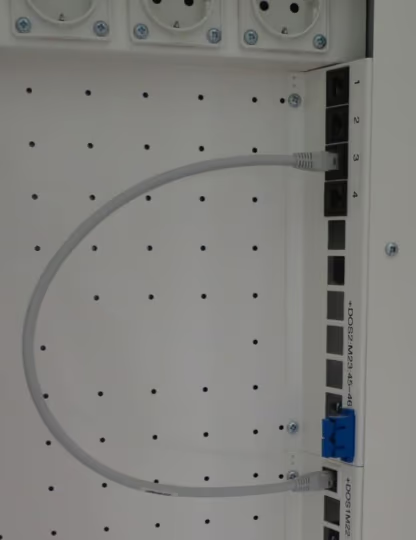
Step 1-3: Patch panel
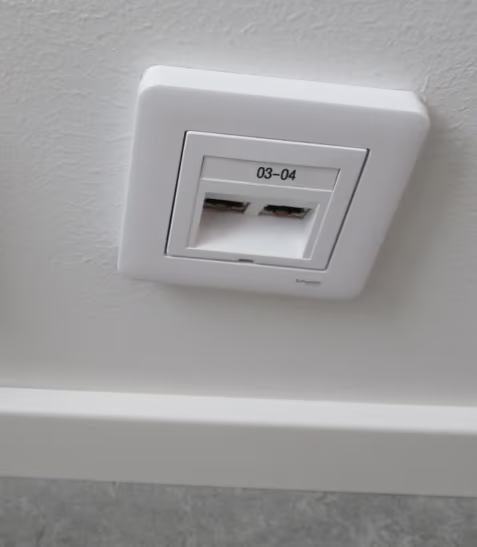
Step 4-6: Numbered wall outlets
Gibraltargatan 84-92
Applies to the newly built, top floors
- Open your electrical cabinet
- Locate the patch panel
- Find the incoming internet port in the patch panel (eg. "FA01-21-08")
- Choose which outlet in your apartment you want to activate by checking the numbered labels in the electrical cabinet (eg. "1")
- Connect a network cable from the incoming internet port to the numbered port of your choice
- The outlets in your apartment have matching numbers - use the one you just connected
When you connect ONE port of an outlet, only that specific port will work. The other port on the same outlet will NOT be connected.
Need multiple connections? Simply plug in a switch or router to the activated outlet.
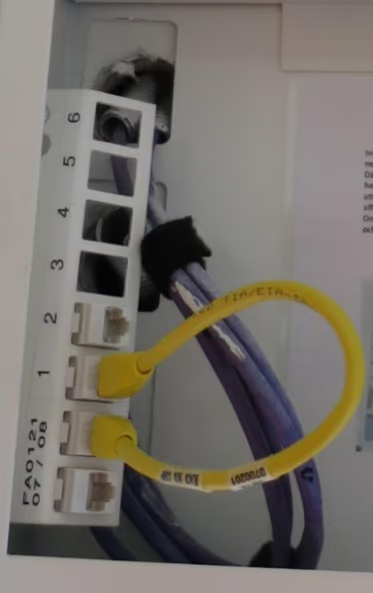
Step 1-3: Patch panel
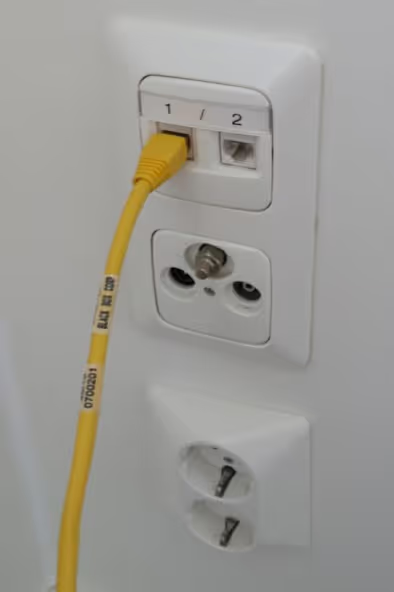
Step 4-6: Numbered wall outlets
Gibraltargatan 78
- Locate the network outlet in your walk-in-closet
- Find the incoming port,where internet enters your apartment (eg. "AB01-02-12")
- Choose which numbered outlet in your apartment you want to use (eg. "D1")
- Connect a network cable from the incoming port to the numbered port of your choice
- The outlets in your apartment have matching numbers - use the one you just connected
When you connect ONE port of an outlet, only that specific port will work. The other port on the same outlet will NOT be connected.
Need multiple connections? Simply plug in a switch or router to the activated outlet.
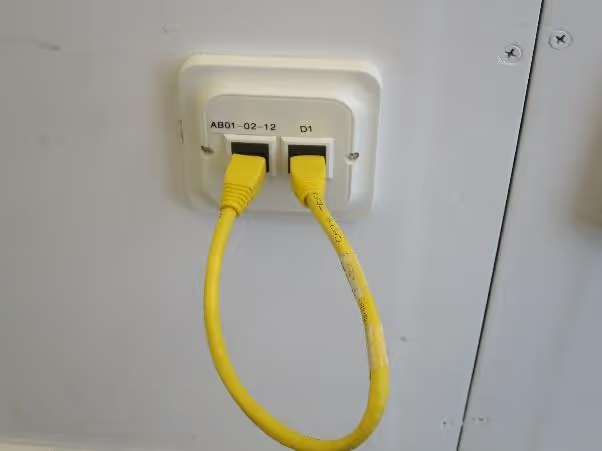
Wardrobe outlet configuration with numbered outlets
Gibraltarvallsvägen 2
- Open your electrical cabinet near the door
- Find the network outlet with the incoming port (where internet enters your apartment)
- Choose which numbered outlet in your apartment you want to use (1 or 2)
- Connect a network cable from the incoming port to the numbered port of your choice
- The outlets in your apartment should have matching numbers - use the one you just connected
The labelling at this address is frequently incorrect. If it does not work, try the other outlet as well.
When you connect ONE port of an outlet, only that specific port will work. The other port on the same outlet will NOT be connected.
Need multiple connections? Simply plug in a switch or router to the activated outlet.
Kapellgången 1 and 6
If you live at Kapellgången 1 or 6, you do not have access to our internet service. You need to sign an agreement with Framtidens Bredband instead.
- Visit Framtidens Bredband's webpage
- When signing the agreement, use your media box number (NOT your apartment number)
- Find information about services, FAQs, and contact details on their website
Report a Fault: Since your internet agreement is with Framtidens Bredband, please contact them directly to report any faults. Unfortunately, we cannot assist with issues at these addresses.